Battery Pack PRV Sizing
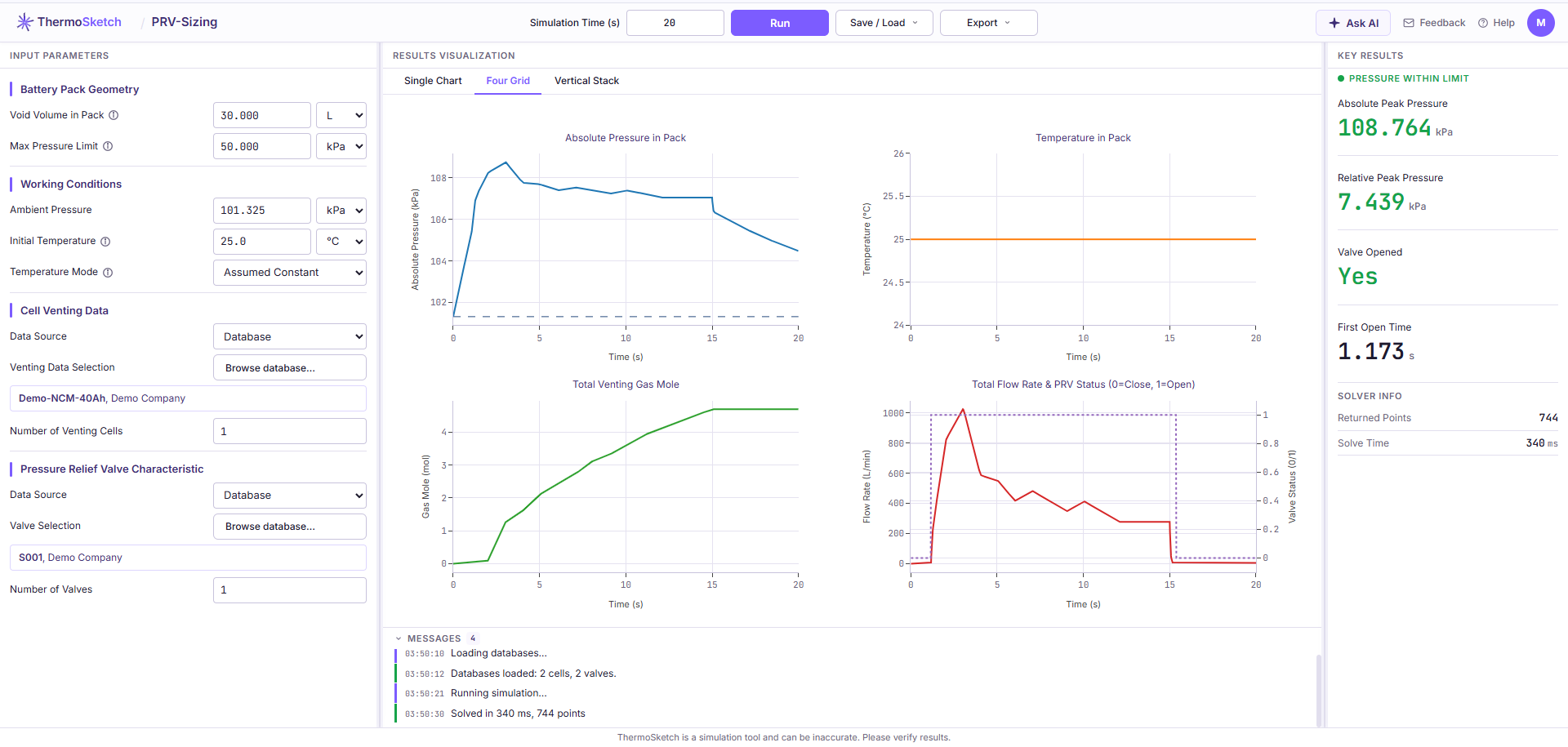
PRV-Sizing answers one question: during a thermal runaway event, does the pressure inside your battery pack stay below what the enclosure can survive, given the relief valve you are considering?
You describe the pack (free volume, ambient conditions), the venting scenario (which cell, how many of them), and the candidate valve (its opening pressure and its flow characteristic). The tool integrates the pressure inside the enclosure over the venting event and reports the peak, when the valve opened, and whether the peak stayed inside your structural limit.
What PRV-Sizing Answers
- What is the peak pressure inside the pack during the venting event, in absolute terms and relative to ambient?
- Does that peak stay below the enclosure’s pressure limit?
- Does the valve open at all, and how quickly?
- How does the answer change with a different valve, or with more valves?
What PRV-Sizing Does Not Do
Being explicit about the boundary saves you from reading a number as something it is not.
It does not compute a required vent area. The tool evaluates a valve you propose. It does not invert the problem and hand you an orifice diameter. Relief valves are bought from a catalogue, not machined to a computed area, so the useful question is “does this valve pass”, asked once per candidate. Choosing a Valve is that check written out as a procedure.
It does not size the breathing function. A pack relief valve usually does two jobs: it equalises pressure day to day through a microporous membrane as temperature and altitude change, and it relieves pressure during thermal runaway. Those are two different sizing calculations. PRV-Sizing covers the second one only. Matching the membrane’s permeability to your temperature and altitude duty cycle is a separate exercise, and nothing on this site performs it.
It does not model what happens outside the enclosure. Gas dispersion, ignition, deflagration, and the consequences at rack or container level are out of scope. The model stops at the valve outlet.
It does not predict thermal runaway itself. The venting curve is an input. The tool does not tell you whether a cell will go into thermal runaway, when it will, or how many neighbours it will take with it.
For the full list of physical effects the model leaves out, see Assumptions and Limits.
Who This Is For
Battery pack, BTMS, and safety engineers who already have, or can obtain, cell venting data and valve flow curves, and who need a defensible pressure number early enough to influence enclosure and valve decisions.
You do not need to write code, install anything, or set up a solver. The tool runs in the browser.
How This Documentation Is Organised
| Section | Read it when |
|---|---|
| Getting Started | You want a result in the next ten minutes |
| Concepts | You need to justify the result to somebody else |
| Using the Tool | You are looking for a specific field, unit, or button |
| Workflows | You have a real valve selection decision in front of you |
| Tutorials | You learn best by following a worked example end to end |
| Reference | You hit an error, a limit, or an unfamiliar term |
If you are here for the first time, Quick Start takes about ten minutes and produces a real result.
Before You Start
You need a ThermoSketch account. The free plan includes enough solver runs to work through this documentation and evaluate the tool on your own data. See Plans and Usage Limits for what each plan includes.
Your simulation inputs and results are never stored on our servers. They live in your browser for as long as the tab is open, and you save them by downloading a file to your own machine. See Saving and Loading a Setup for how that works, and the security page for the full data handling policy.
Getting Help
If something here does not cover your case, write to support@thermosketch.com with the parameters you are working from. If the tool itself fails on a specific setup, the error dialog offers to send us that setup directly, which is faster than describing it in prose. See Troubleshooting.